 sales@doomshell.com
 +91 8005523567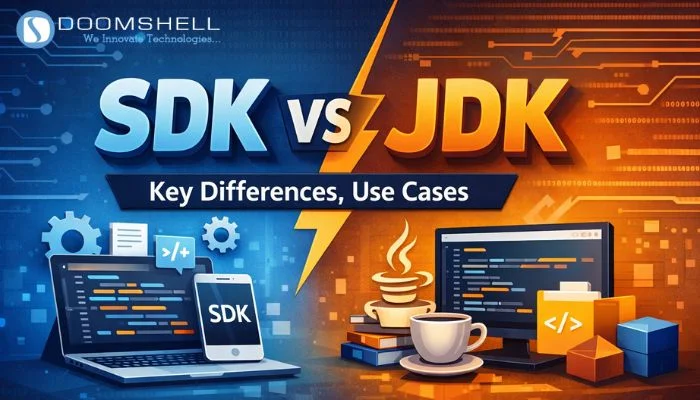
As software development continues to evolve, both SDKs and JDKs remain essential tools for developers worldwide.
- Around 65% of enterprises now prioritize multi-platform Software Development Kits over language-specific toolchains to accelerate product development.
- Industry trends indicate that nearly 72% of developers regularly use SDKs for mobile, cloud, IoT, and embedded application development.
- Market research also suggests that approximately 58% of organizations have increased investments in SDK-based development environments due to growing cross-platform requirements.
What is an SDK?
A Software Development Kit (SDK) is a comprehensive package of development resources that enables developers to build, test, deploy, and maintain applications for a specific platform or service.
An SDK typically includes:
- APIs
- Libraries
- Documentation
- Code samples
- Debugging tools
- Compilers
- Emulators
- Testing utilities
In the SDK vs JDK comparison, SDKs offer broader functionality because they support multiple operating systems, frameworks, and programming languages. Whether you’re developing Android apps, integrating payment gateways, or building cloud applications, SDKs provide everything needed to accelerate development.
What is a JDK?
A Java Development Kit (JDK) is the official toolkit required for developing Java applications.
The JDK contains everything developers need to write, compile, debug, and execute Java programs, including:
- Java Compiler (javac)
- Java Runtime Environment (JRE)
- Java Virtual Machine (JVM)
- Java Debugger
- Standard Java Libraries
- Development utilities such as jar and javadoc
Unlike general SDKs, the JDK is entirely focused on Java development, making it the standard toolkit for enterprise applications, backend systems, desktop software, and Java-based Android development.
SDK vs JDK: What’s the Difference?
| Feature | SDK (Software Development Kit) | JDK (Java Development Kit) |
|---|---|---|
| Full Form | Software Development Kit | Java Development Kit |
| Purpose | Develop applications for a specific platform or service | Develop Java applications |
| Scope | Supports multiple platforms and languages | Java-specific |
| Includes | APIs, libraries, documentation, debuggers, compilers, emulators | Java Compiler, JRE, JVM, libraries, debugging tools |
| Programming Languages | Varies depending on the SDK | Java only |
| Examples | Android SDK, iOS SDK, Windows SDK | Oracle JDK, OpenJDK |
| Platform Support | Depends on the SDK | Cross-platform through JVM |
| Primary Use | Platform-specific development | Java application development |
SDK Use Cases
A Software Development Kit is widely used across different industries because it simplifies application development and third-party integrations.
Common SDK use cases include:
1. Mobile Application Development
Develop Android applications using the Android SDK and iOS applications using Apple’s iOS SDK.
2. Payment Gateway Integration
Payment SDKs such as Stripe and PayPal allow developers to securely process online transactions.
3. Social Authentication
SDKs from platforms like Facebook and Google simplify user authentication through social login.
4. Cloud Services
Cloud SDKs help developers integrate cloud storage, databases, messaging services, and serverless computing into applications.
5. IoT Development
IoT SDKs provide tools for connecting smart devices, collecting sensor data, and managing connected ecosystems.
6. Analytics & Advertising
Analytics and advertising SDKs help developers monitor application performance, user engagement, and advertising revenue.
JDK Use Cases
The Java Development Kit is essential for building Java-based software solutions.
Common JDK applications include:
- Enterprise software development
- Java desktop applications
- Backend APIs
- Microservices architecture
- Java web applications
- Android applications built with Java
- Financial software
- Banking systems
- Large-scale enterprise solutions
When Should You Use an SDK or a JDK?
Choosing between an SDK and a JDK depends on your project’s requirements, the programming language you’re using, and your target platform. While both are development toolkits, they serve different purposes.
When to Use an SDK
An SDK is the right choice when you’re building applications for a specific platform or integrating external services into your software.
Use an SDK when you need to:
- Develop Android applications using the Android SDK.
- Build iOS applications with Apple’s iOS SDK.
- Integrate payment gateways like PayPal or Stripe.
- Add social login functionality using Facebook or Google SDKs.
- Connect applications with cloud platforms such as AWS, Azure, or Firebase.
- Implement analytics, push notifications, advertising, AR/VR, or IoT capabilities.
SDKs provide pre-built libraries, APIs, and tools that significantly reduce development time and simplify platform-specific implementation.
When to Use a JDK
A JDK is essential whenever you’re developing Java-based applications.
Choose the JDK if you want to:
- Develop Java desktop applications.
- Build enterprise software using Java.
- Create backend services and REST APIs.
- Develop microservices with frameworks like Spring Boot.
- Learn Java programming fundamentals.
- Compile, debug, and execute Java programs.
- Build Android applications using Java.
The JDK provides all the tools required to write, compile, test, debug, and deploy Java applications efficiently.
SDK vs JDK: Key Differences at a Glance
| Aspect | SDK | JDK |
|---|---|---|
| Primary Focus | Platform-specific application development | Java application development |
| Programming Language | Multiple languages | Java only |
| Scope | Broad | Specialized |
| APIs & Libraries | Yes | Java Standard Libraries |
| Compilers | Platform dependent | Java Compiler (javac) |
| Runtime Environment | Depends on SDK | Includes JRE |
| Best For | Mobile, Cloud, Web, IoT, Gaming | Java Desktop, Backend & Enterprise Applications |
Advantages of Using an SDK
- Accelerates application development.
- Simplifies third-party integrations.
- Provides ready-to-use APIs and libraries.
- Reduces development costs.
- Improves developer productivity.
- Supports multiple platforms and technologies.
- Includes documentation and sample projects for faster implementation.
Advantages of Using a JDK
- Complete toolkit for Java development.
- Includes the Java Compiler, JVM, and JRE.
- Enables efficient debugging and testing.
- Supports enterprise-grade application development.
- Offers excellent platform independence through the JVM.
- Backed by a mature ecosystem and strong community support.
SDK vs JDK: Which One Should You Choose?
There is no universal winner in the SDK vs JDK comparison because both serve different development needs.
Choose an SDK if your project involves:
- Android or iOS application development
- Cloud integrations
- Payment gateway implementation
- Analytics or advertising services
- IoT, AR/VR, or gaming platforms
- Cross-platform application development
Choose a JDK if your project focuses on:
- Java application development
- Enterprise software
- Backend APIs
- Microservices
- Java desktop applications
- Learning or working with Java programming
In many real-world scenarios, developers use both together. For example, Android development traditionally requires the Android SDK along with a compatible JDK.
Conclusion
Understanding the differences between SDK and JDK helps developers select the right toolkit for their projects.
An SDK (Software Development Kit) is a comprehensive collection of development resources that supports application development across multiple platforms, services, and programming languages. It simplifies integration, speeds up development, and provides everything needed for platform-specific applications.
A JDK (Java Development Kit), on the other hand, is dedicated exclusively to Java development. It includes all the essential tools required to write, compile, debug, test, and deploy Java applications, making it indispensable for enterprise software and backend development.
Rather than competing with each other, SDKs and JDKs complement different aspects of modern software development. Choosing the appropriate toolkit based on your technology stack and project goals ensures greater efficiency, scalability, and long-term success.
At Doomshell Software Pvt. Ltd., we help businesses build scalable, high-performance applications by selecting the right technologies, development frameworks, and software tools tailored to their business objectives.
Frequently Asked Questions (FAQs)
1. What is an SDK?
A Software Development Kit (SDK) is a collection of development tools, APIs, libraries, documentation, and utilities that help developers build applications for specific platforms or services more efficiently.
2. What is a JDK?
A Java Development Kit (JDK) is the official toolkit for Java development. It includes the Java Compiler, Java Runtime Environment (JRE), Java Virtual Machine (JVM), debugging tools, and standard libraries required to create and run Java applications.
3. What is the main difference between an SDK and a JDK?
The primary difference is their scope.
- An SDK supports application development for various platforms and technologies.
- A JDK is specifically designed for developing Java applications.
4. When should I use an SDK instead of a JDK?
Use an SDK when developing applications for platforms such as Android, iOS, cloud services, payment systems, analytics platforms, or IoT devices.
Use a JDK whenever you’re developing, compiling, or running Java applications.
5. Can an SDK replace a JDK?
Not always.
Some SDKs, such as the Android SDK, require a JDK to compile Java code. Since the JDK itself is a specialized Software Development Kit for Java, it serves a unique role that general SDKs cannot fully replace.