 sales@doomshell.com
 +91 8005523567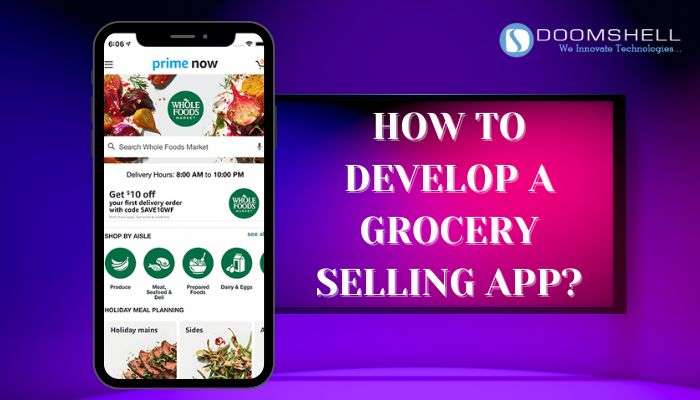
A grocery selling app is a digital platform that enables users to order groceries online and get them delivered directly to their doorstep. These apps connect customers, store owners, and delivery partners through a unified system that ensures smooth ordering, tracking, and fulfillment of grocery products.
Modern grocery apps typically include four core components: a user app, a delivery partner app, a web store, and an admin dashboard. Together, these modules streamline operations, improve efficiency, and enhance customer experience.
With increasing demand for convenience and rapid delivery, grocery apps have become an essential part of the digital retail ecosystem.
Market Analysis of Grocery Selling Apps
The global grocery delivery market is expanding rapidly and is projected to reach nearly $1 trillion by 2030, driven by growing consumer demand for convenience and online shopping.
The industry is growing at an estimated 15–20% annual rate, supported by smartphone penetration, digital payments, and changing consumer behavior toward instant delivery services.
The Asia-Pacific region leads the market, with countries like India and China showing rapid adoption. North America and Europe also continue to grow steadily, especially in urban areas.
Key technology drivers include artificial intelligence, SaaS-based platforms, micro-fulfillment centers, and real-time tracking systems.
However, profitability remains a challenge due to high logistics costs and intense competition. As a result, companies are focusing on improving operational efficiency and building strong customer loyalty programs.
What is a Grocery Selling App (iDS Mart Example)?
A solution like iDS Mart is a ready-made grocery delivery platform designed to help businesses quickly launch an online grocery store.
It typically includes:
- User Mobile App
- Delivery Partner App
- Web Store
- Admin Dashboard
This system enables customers to browse products, place orders, and receive deliveries at home, while store owners manage inventory, orders, and logistics from a centralized dashboard.
Steps to Develop a Grocery Selling App
1. Market Research
Analyze competitors, customer behavior, and market gaps to define a strong value proposition for the app.
2. Project Planning
Decide whether the app will be on-demand, aggregator-based, or franchise-based. Define target audience and core features.
3. UI/UX Design
Create a clean, intuitive interface that allows users to easily search, order, and pay for groceries with minimal steps.
4. Development & Testing
Build front-end and back-end systems, integrate payment gateways, enable tracking, and test for security and performance.
5. Launch & Marketing
Deploy the app on platforms like Google Play and the App Store, followed by digital marketing, influencer campaigns, and user feedback collection.
Features of Grocery Selling App
1. User Registration & Profile Management
Users can register using email, phone, or social media and manage their profiles, addresses, and payment methods.
2. Product Listing & Search
A structured catalog with categories, product details, pricing, availability, and search filters.
3. Shopping Cart & Order Management
Users can add items, modify quantities, and track orders from placement to delivery.
4. Multiple Payment Options
Supports UPI, cards, wallets, and cash on delivery with secure encryption.
5. Delivery Tracking
Real-time tracking with notifications, estimated delivery time, and driver details.
6. Offers & Loyalty Programs
Discounts, promo codes, and reward programs improve customer retention.
7. Ratings & Reviews
Users can review products and delivery services to ensure quality control.
8. Admin Dashboard
Central control panel for managing inventory, orders, users, and analytics.
Estimated Development Cost
| Component | Estimated Cost |
|---|---|
| UI/UX Design | $3,000 – $8,000 |
| User Registration & Security | $1,000 – $3,000 |
| Product & Cart Management | $2,000 – $5,000 |
| Payment Integration | $1,000 – $2,500 |
| Admin Dashboard | $800 – $2,000 |
Total cost varies based on features, complexity, and scalability requirements.
Monetization Strategies
Grocery apps generate revenue through multiple channels:
Service fees charged per order, subscription plans for premium users, in-app advertising, and listing fees from grocery stores.
Some platforms also implement dynamic pricing and delivery charges during peak demand periods.
Challenges in Grocery App Development
High delivery and logistics costs remain a major challenge in profitability.
Managing real-time inventory and order synchronization is complex.
Competition in the market is intense, requiring strong differentiation and customer loyalty strategies.
Why Grocery Apps Are the Future
Grocery apps are becoming essential due to increasing demand for convenience and doorstep delivery services.
They leverage AI, automation, and real-time logistics systems to improve efficiency and user experience.
With continued digital adoption, grocery apps are expected to become a standard retail channel globally.
Conclusion
Grocery selling app development is a highly promising business opportunity driven by growing consumer demand for online shopping and fast delivery services.
By combining strong UI/UX, scalable architecture, and modern technologies, businesses can build efficient platforms that serve both customers and store owners effectively.
With proper planning, market research, and continuous improvements, grocery apps can achieve long-term success in the competitive e-commerce landscape.
FAQs
1. What features should a grocery app include?
User login, product listing, cart, payment system, delivery tracking, and admin dashboard.
2. How much does it cost to build a grocery app?
Typically between $8,000 and $25,000 depending on features and complexity.
3. Which technologies are used?
React Native, Node.js, secure payment gateways, and cloud databases.
4. How do grocery apps make money?
Through commissions, subscriptions, ads, and listing fees.
5. What makes a grocery app successful?
Good UX, fast delivery, strong logistics, and customer loyalty programs.